Telegram
Telegram FZ-LLC
Sep 6, 2013
Feb 6, 2026
12.4.0
Varies with device
1,000,000,000+

Images

Description
Telegram is a free, cloud-based instant messaging app that functions similarly to WhatsApp or iMessage but offers significantly more power and flexibility. It is known for its speed, security, and the ability to handle massive groups and large file transfers.
Because it is cloud-based, you can access your messages from multiple devices (phone, tablet, and computer) at the same time without needing your phone to be nearby or even turned on.
Key Features of Telegram
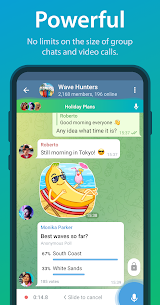
Massive Groups: Chat with up to 200,000 members in a single group.
Channels: Subscribe to “broadcast” feeds for news, hobbies, or updates from public figures. There is no limit to how many people can follow a channel.
Large File Sharing: Send files (videos, zip, mp3, etc.) up to 2 GB each.
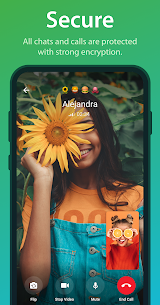
Privacy Options: Use “Secret Chats” for end-to-end encryption and messages that self-destruct after being read.
Usernames: You can hide your phone number and give people a @username so they can find you without knowing your digits.
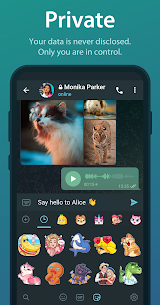
Customization: It has a deep library of animated stickers, GIFs, and themes.
How to Get Started
1. Set Up Your Account
Download: Get the app from the Google Play Store or Apple App Store.
Verify: Enter your phone number. Telegram will send you a verification code via SMS.
Profile: Add your name and an optional profile picture.
2. Start a Conversation
Individual Chat: Tap the pencil icon (Android: bottom right; iOS: top right) and select a contact.
Find by Username: Tap the search icon and type a name (e.g., @YourFriendsUsername).
Secret Chat: To ensure maximum privacy, open a regular chat with someone, tap their name at the top, select the “More” or “three-dot” menu, and choose Start Secret Chat.
3. Join Groups and Channels
Use the Global Search bar at the top to find public groups or channels by typing keywords (e.g., “NASA news” or “Recipe ideas”).
Once you find a channel you like, tap Join at the bottom to receive its updates.
4. Organize Your Chats
If you find yourself in too many groups, go to Settings > Chat Folders. You can create folders like “Work,” “Family,” or “News” to keep your main chat screen clean.





Most rated apps
Most rated apps


