Nova Launcher
Instabridge Sweden AB
Feb 23, 2012
Feb 4, 2026
81023 (8.3.1)
8.0
100,000,000+
Images
Description
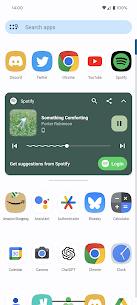
Nova Launcher is a powerful, customizable home screen replacement for Android.1 Think of it as a “skin” or a new “OS layout” that sits on top of your existing Android software, allowing you to change almost everything about how your phone looks and behaves without needing to “root” or hack the device.
It is widely considered the gold standard for Android launchers because it is fast, lightweight, and incredibly stable.2🚀 Key Features Nova Launcher provides features that many standard phone interfaces (like Samsung’s One UI or Google’s Pixel Launcher) don’t offer:
Custom Icons: You can download thousands of “Icon Packs” from the Play Store to change the look of every single app icon.3Grid Control: You can decide exactly how many rows and columns of apps you want on your screen
(e.g., a 4$12 \times 12$ grid for a dense look or 5$4 \times 4$ for simplicity).6Infinite Scrolling: Loop through your home screens continuously rather than stopping at the last page.7Hidden Apps & Folders: Hide “bloatware” apps you don’t use or create folders within the app drawer to keep things organized.
8Backup & Restore: If you get a new phone, you can export your Nova layout and import it to the new device so it feels exactly like your old one in seconds.9🛠️ How to Use Nova Launcher (Step-by-Step)1. Installation & Setup Download Nova Launcher from the Google Play Store. Open the app.
It will walk you through an initial setup (choosing light/dark mode, app drawer style, etc.).10Crucial Step: To keep it active, go to Nova Settings > Select Default Launcher and choose Nova Launcher.11 If you don’t do this, your phone will revert to the old look every time you press the Home button.122.
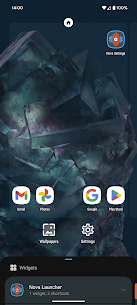
Customizing Your Home Screen Change Icon Size/Labels: Long-press an empty space on the home screen > Settings > Home Screen > Icon Layout.13Add More Icons to the Dock: Go to Settings > Home Screen > Dock.14 You can add multiple pages to your dock or increase the number of apps shown at the bottom.15Apply an Icon Pack:
First, download an icon pack from the Play Store.16 Then, in Nova, go to Settings > Look & Feel > Icon Style > Icon Theme.173. Using Gestures (Requires “Prime” Version)18Nova Launcher Prime is the paid upgrade that unlocks “Gestures.”19 These are highly productive:Double Tap:
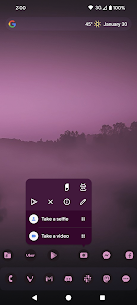
Set this to lock your screen or open your favorite app.20Swipe Up: Set a “Swipe Up” gesture on the WhatsApp icon to call a specific person immediately.21Pinch In/Out: Use these to open your notification shade or a search bar.22💰 Free vs.
Prime Free Version: Includes all the basic layout tools, icon pack support, and performance optimizations. It has no ads. Prime (Paid): Adds gestures, the ability to hide apps, custom app drawer folders, and extra scrolling effects.23 It is usually a one-time small fee.24
Most rated apps
Most rated apps


