Google Translate
Google LLC
Jan 16, 2026
Varies with device
Varies with device
1,000,000,000+
What's new
Bug fixes and improvements
Images
Description
The Google Translate app is a free mobile tool that translates text, speech, images, and even live conversations across more than 100 languages. It acts like a personal interpreter in your pocket, making it essential for travel, language learning, and quick communication.
Core Features
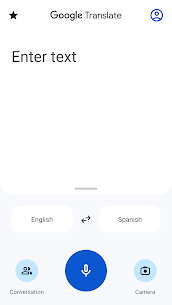
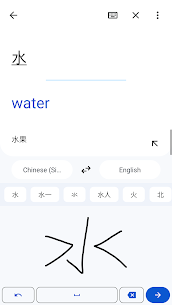
Text Translation: Type words or phrases for an instant translation.
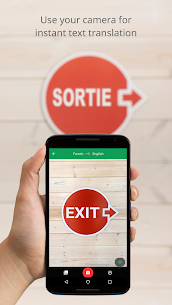
Camera Translation: Point your camera at a sign, menu, or document to see the translation overlaid on the image in real-time.
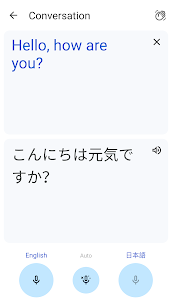
Conversation Mode: Speak into the phone, and it will translate your words aloud for the other person, then translate their response back to you.
Offline Mode: Download language packs (like Spanish or Japanese) to translate even when you have no internet or cell service.
Transcribe: Record long-form speech (like a lecture or speech) and see the translation in real-time.
How to Use It
1. Basic Text Translation
Open the app and select your source language (left) and target language (right).
Tap the text box and type what you want to translate.
The translation will appear instantly. Tap the Speaker icon to hear it spoken aloud.
2. Using the Camera
Tap the Camera icon on the home screen.
Point your phone at the text you want to read.
The app will automatically detect and “replace” the foreign text with your language on your screen.
3. Having a Live Conversation
Tap the Conversation icon.
Select the two languages being spoken.
Tap the Auto button (the microphone in the middle) so the app can listen for both languages and translate back and forth without you having to press buttons every time.
4. Translating Offline (Crucial for Travel)
Tap your Profile icon (top right).
Select Downloaded languages.
Find the language you need and tap the Download arrow next to it.
Tip: Do this while you have Wi-Fi before you leave home!
Pro Tip: Tap to Translate (Android only)
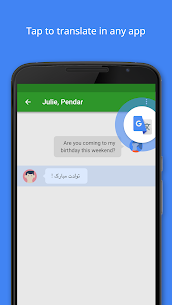
On Android, you can enable “Tap to Translate” in the settings. This allows you to highlight text in any other app (like WhatsApp or Chrome) and a small Translate bubble will appear to give you a quick translation without leaving that app.
Related apps



Developer's apps

Most rated apps
Most rated apps


