Facebook Lite
Meta Platforms Inc.
Jun 4, 2015
Jan 13, 2026
Varies with device
Varies with device
1,000,000,000+
Images
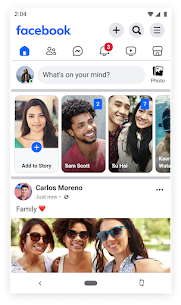
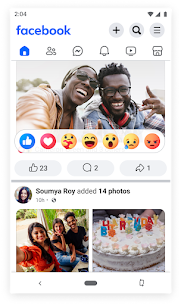
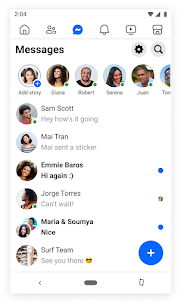
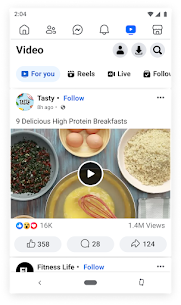
Description
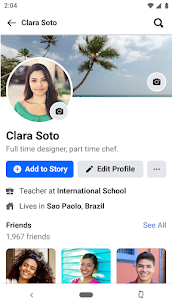
Facebook Lite is a simplified, “bare-bones” version of the standard Facebook app.1 It was specifically built by Meta to work efficiently on low-end smartphones, older devices, and in areas with slow or unstable internet connections (like 2G networks).2Why use Facebook Lite? Tiny Tiny Size:
The app is usually under 2 MB to download, compared to the standard app which can be over 60 MB.3Saves Data: It uses less mobile data by compressing images and not pre-loading videos.4Battery Friendly: Because it uses fewer system resources,
it doesn’t drain your battery as fast.5Built-in Messaging: Unlike the main app, Facebook Lite often includes basic messaging features directly inside the app, so you don’t always need to download a separate Messenger app.
Key Differences at a Glance Feature Standard Facebook Lite App Size Large (150MB+ total)Very Small (~2MB)Internet Speed Needs 4G/5G/Wi-FaxWorks on 2G/Slow 3GMedia Quality High Definition (HD)Standard/Compressed Animations Smooth transitions Basic and static Video.
Auto plays by default Only plays when tapped How to Use Facebook Lite Using the Lite version is very similar to the regular app, but the interface looks a bit more “old school.”71. Download and Install Open the Google Play Store (Android) or App Store (iOS).8Search for “Facebook Lite” (look for the white icon with a blue “f”).
9Tap Install. It should finish almost instantly because of its small size.102. Log In or Sign Up Open the app and enter your existing email/phone and password.11If you’re new, tap Create New Account.12 The setup process is shorter and uses fewer screens than the main app.3.
Navigating the App The News Feed: You’ll see the standard feed, but images may look slightly grainier to save data.13Tabs: Instead of icons at the bottom, Lite usually puts the navigation bar (Feed, Friends, Messages, Notifications, Search, and Menu) at the top of the screen.
14Messaging: Tap the Messenger icon (lightning bolt) in the top bar to chat.15 You can send text and stickers, though some high-end features like video filters might be missing.4.
Saving Even More Data If you are on a very strict data plan, you can go to Settings (the three-line menu) > Media and set the Photo Quality to “Low.”16 This ensures you use the absolute minimum amount of data while browsing.





Most rated apps
Most rated apps


