Amazon Shopping
Amazon Mobile LLC
Dec 10, 2014
Jan 30, 2026
32.3.0.100
9
500,000,000+
What's new
Access popular pages quickly with our new shortcuts. Tap and hold the Amazon app icon to access your Orders, Daily Deals, Shopping Cart, and Search.
Enjoy our latest update where we have fixed some bugs and improved our app to provide you a seamless shopping experience
Images

Description
The Amazon Shopping App is a free mobile application that lets you browse, buy, and track millions of products from Amazon’s global marketplace directly on your phone or tablet. It is designed to be faster and more convenient than using a desktop computer,
offering exclusive features like real-time delivery alerts and visual search.1🛠 How to Set Up the App Download: Open the Google Play Store (Android) or Apple App Store (iOS) and search for “Amazon Shopping.”2 Tap Install or Get. Sign In:
Open the app and sign in with your existing Amazon account email and password.3 If you don’t have one, tap “Create an account. “Set Your Location: The app will usually ask to access your location to show you accurate shipping times and local currency.4🚀 Key Features and How to Use Them it does How to use it Visual Search Finds items using your camera.
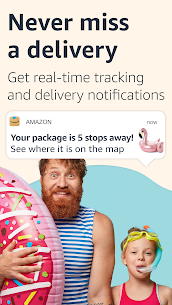
Tap the camera icon in the search bar to scan a barcode or take a photo of an object. Real-Time Tracking Notifies you when your package is near. Enable Notifications in settings to get alerts when your package is “out for delivery” or “delivered.
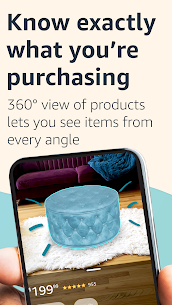
“View in Your Room “Uses AR to see if furniture fits. On a product page (like a chair), tap “View in your room” to see it through your camera lens. Lists & Hearts Saves items for later. Tap the heart icon on any product to save it to your “Lists.”
You’ll get notified if the price drops. Alexa Voice Search using your voice. Tap the microphone icon in the search bar and say, “Alexa, find organic coffee.”🛒 How to Make a Purchase Search: Use the top search bar or browse by category (Electronics, Home, Fashion, etc.).Check Reviews:
Scroll down to read Customer Reviews and see “Verified Purchase” feedback to ensure quality.5Add to Cart: Tap “Add to Cart” if you’re buying multiple items, or “Buy Now” to checkout instantly.6Checkout: Tap the Cart icon,
review your shipping address and payment method, then swipe or tap “Place your order.”7💡 Pro Tips for 2026App-Only Deals: Check the “Deals” section regularly; Amazon often offers specific discounts that only appear in the app and not on the website.8Rufus (AI Assistant):9 Look for the Rufus icon in the corner.
You can ask it complex questions like, “Is this tent good for heavy rain?” and it will summarize reviews for you.Security: You can enable Face ID or Fingerprint sign-in in the app settings so you don’t have to type your password every time.10
Related apps

Most rated apps
Most rated apps


